Asus latest flagship laptop competes with the MacBook Air, but not how youd think
pros and cons Pros Gorgeous display High-end processor Appropriately priced Thin and light Cons Potential emulation issues remain Variable battery life Plasticky build Follow ZDNET:Add us as a preferred sourceon Google. Asus’ new Zenbook A16 is the sequel to last year’s Zenbook A14, one of the thinnest, lightest, and longest-lasting laptops of 2025. The A16…

pros and cons
- Gorgeous display
- High-end processor
- Appropriately priced
- Thin and light
- Potential emulation issues remain
- Variable battery life
- Plasticky build
Follow ZDNET:Add us as a preferred sourceon Google.
Asus’ new Zenbook A16 is the sequel to last year’s Zenbook A14, one of the thinnest, lightest, and longest-lasting laptops of 2025. The A16 picks up where its younger sibling left off, aiming for the same thin and light build but with key hardware upgrades that elevate it to a more premium position.
Also: This ultraportable Asus laptop is my favorite MacBook Air alternative (and it’s better in some ways)
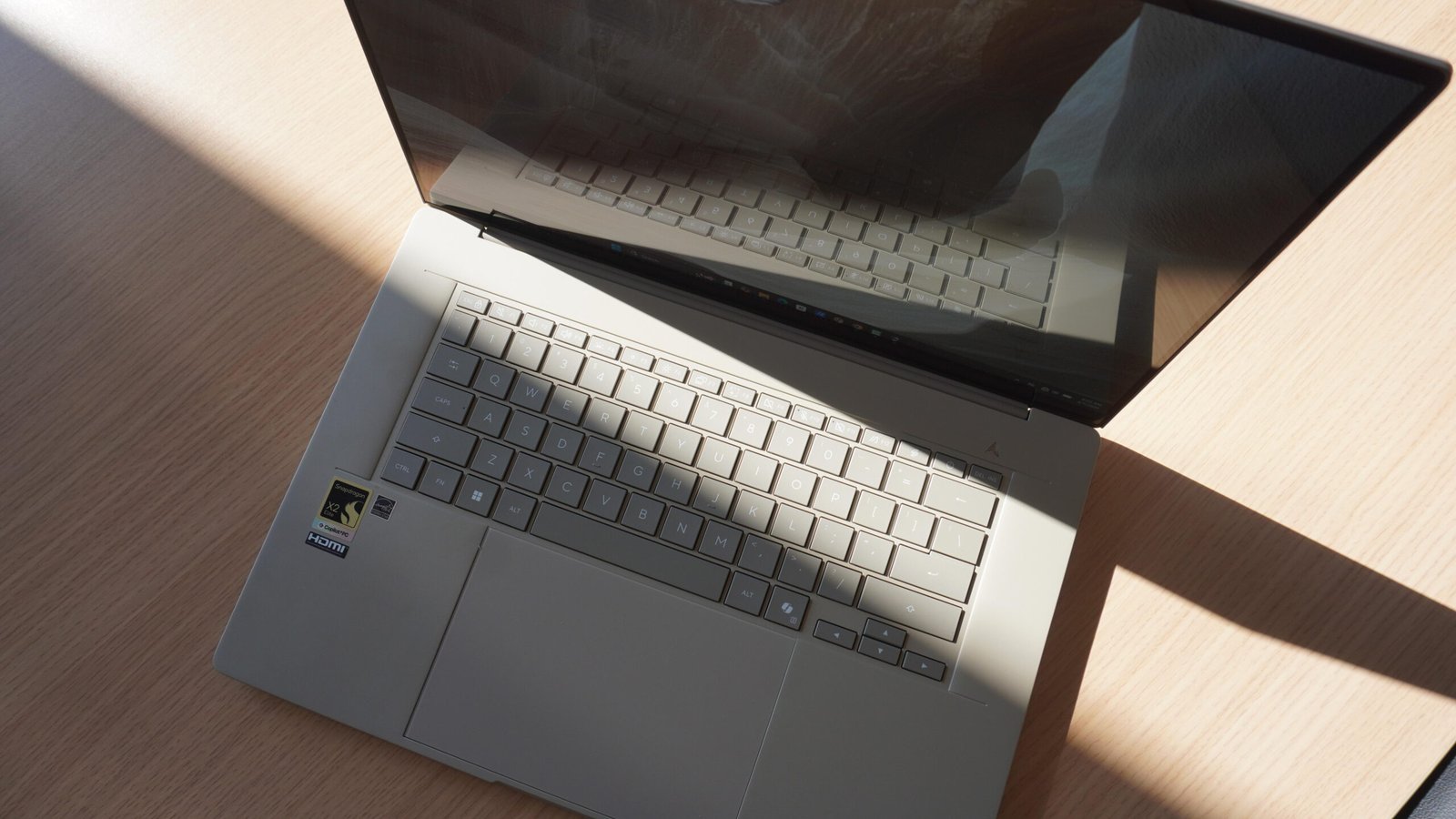
Physically, it’s made with the same textured, smudge-resistant ceraluminum, features a brilliant 3K OLED display, large trackpad and ultrasleek build. But under the hood is its secret weapon: the Snapdragon X2 Elite Extreme processor, Qualcomm’s second-gen high-end processor with a 5-GHz clock speed, 192-bit memory interface and 228GB/s bandwidth.
Last year’s Zenbook A14 was so thin and light, it almost didn’t feel real. The A16 trades in that boundary-pushing lightness for a more powerful set of hardware that Asus hopes will take aim at one big competitor: the MacBook Air.
Best laptop deals of the week
Deals are selected by the CNET Group commerce team, and may be unrelated to this article.
At 2.6 pounds, it’s certainly lightweight for a 16-inch, making a statement by coming in at just a hair less than the MacBook Air M5 (which is 2.7 pounds), impressive considering it’s an entire inch bigger.
But I wouldn’t be so quick to peg the A16 as a carbon copy of the A14 that’s “just bigger.” The smaller model had an absolute marathon battery that lasted several days, whereas the A16 sacrifices some of that longevity for power. The Snapdragon X2 Elite Extreme is a powerhouse that produced some impressive performance numbers in my testing, while proving it has what it takes for solid performance for everyday tasks and demanding workflows. But not without a big trade-off.
Hardware and usability: A new direction
The A16’s focal point is the Snapdragon X2 Elite Extreme system-in-package (SiP) — Qualcomm’s highest-end processor in a consumer laptop, built on a 3nm chip process with an ultra-wide memory bandwidth of up to 228 GB/s. The X2 Elite Extreme has six additional CPU cores compared to the standard Snapdragon X2 Elite chip for a total of 18 (12 prime cores and six performance cores).
Coupled with the standard 48GB of LPDDR5X 9600 memory and standard 1TB SSD, the A16 features a premium base hardware loadout that is far better positioned for demanding applications than its predecessor was. This opens it up to workflows its aforementioned competitor, the MacBook Air, does well, such as video and photo editing outside of the top-tier pro grade and strong multitasking.
Also: After using the MacBook Neo for weeks, switching to the Air has been refreshingly sweet
When it comes to gaming performance, the Qualcomm Adreno X2 GPU in the A16 performs much better than its predecessor, with improved ray tracing, and, according to Asus, 2.3 higher frame rates for games at a FHD resolution with medium graphics settings.
What this equates to, in my testing, is better baseline performance across the board for mid-range titles, and a steeper drop-off in performance when it comes to more demanding games. The A14, by comparison, was not suited to anything but the coziest of games, and gaming on ARM can still be tricky; Despite what Microsoft or Qualcomm may say, performance issues related to emulation are still a thing.
In our benchmarking, the Snapdragon X2 Elite Extreme proved its impressive performance, particularly with multi-core scores, which handily surpassed the M5 in the 15-inch MacBook Air. Apple’s chip is still the king of single-core performance, but these scores position the X2 Elite Extreme as a serious competitor to high-end devices with Intel’s Panther Lake series and Apple’s M5 Pro.
Physical build: A give and take
The display on the A16 looks fantastic. It’s a glossy, Lumina Pro 3K 16-inch WQXGA+ OLED with a 120Hz refresh rate and peak HDR brightness of 1100 nits. Unlike the A14, it finally features an edge-to-edge glass panel without the plastic bezels, giving it a far more premium presence. It is bright, but it is very glossy — something to keep in mind if you have lots of overhead lighting.
The A16 can also drive three external monitors with the lid open, another box Asus seemingly strove to check in its quest to defeat the MacBook Air, which is limited to two. It has the connectivity to back it up with a USB-A port, SD card slot, HDMI 2.1, and two Thunderbolt-4 USB-C ports.
Also: This Windows PC setting could be limiting your SSD capacity – here’s how to regain storage
The keyboard and trackpad are good. Neither feature outstanding design elements, but both are satisfyingly responsive, comfortable and well engineered. I will point out that the trackpad does not go all the way to the edge of the laptop, but has a small lip; a smart design choice I wish the Acer Swift 16 AI had utilized.
Asus continues to emphasize the ingenuity of its proprietary ceraluminum material with its shock and scratch resistant properties. It also claims it’s smudge free, but in my experience this applies mostly to the top of the laptop’s clamshell. Not only is the bottom of the laptop not smudge free, the matte beige texture is an absolute fingerprint magnet.
Also: Don’t ignore your desktop PC’s empty M.2 slots – they’re more useful than you think
Similarly, the hollow, plasticky feel around the keyboard and trackpad doesn’t exactly exude premium durability — especially compared to competitors with more substantial aluminum builds like Dell’s XPS 14 or the MacBook Air M5 (particularly at the $2,000 price point).
Additionally, the “Zabriskie Beige” colorway follows the line’s neutral stone aesthetic, but I wish Asus committed to a color palette that’s either a little warmer or a little more silver, as it’s just two clicks away from being the hue of the family desktop from the ’90s.
Battery life: Results may vary
The Zenbook A14 had one of the longest-lasting batteries on the market last year, earning a spot on our best list for its longevity: 30 hours in video playback and almost 20 when it came to usage. With the A16, however, things are a little bit different. Asus advertises 21 hours of video playback, even with the beefier 70Wh battery. This step down in longevity is a result of a few different factors, but chief among them is the fact that there’s a lot more to power: namely the large, bright display and the processor.
Also: I tried dozens of mice, and the Logitech MX is my clear favorite – here’s why
In my initial testing of the A16, I found battery life to be middle of the road. For typical usage in the office running dozens of browser tabs, taking video calls, and uploading and transferring files, it lasted the whole day, but without a lot of room to spare. This variability continued as I kept using it through the evening, and it remained at 5% for over another two hours.
When it comes to demanding tasks like gaming, rendering video in Da Vinci Resolve and transferring large files, I found battery life to be a little more sporadic. In my short time with the Zenbook A16, I haven’t had time for a complete battery analysis, but during sessions where I pushed it, I experienced noticeable drops in battery life followed by sustained periods of much slower depletion.
Also: Acer’s new Swift laptop proves you can have too much of a good thing
This leads me to believe that there still maybe some firmware improvements to be made, especially with this new processor. Recent, subsequent BIOS updates also imply ongoing optimization efforts.
As it stands now, the A16 has perfectly good battery life, but it’s important to note that it’s a different beast than its 14-inch predecessor. I’d characterize this laptop to something closer to the Lenovo Yoga Pro 9i — a hybrid creator/professional 16-inch with a banger OLED. It’ll happily last all day for the common suite of productivity tasks, but pushing the hardware for more demanding tasks is best done while plugged in.
ZDNET’s buying advice
Is the Zenbook A16 the Windows version of the MacBook Air? Not quite, but it’s a worthy competitor in its own right. Qualcomm’s Snapdragon X2 Elite Extreme chip is a powerhouse, not the breezy Snapdragon X chips with multi-day battery life found in last year’s Zenbook A14.
It’s an attractive, future-facing 16-inch with a powerful processor and a gorgeous OLED display, a full suite of connectivity and a unique aesthetic. But it’s also a little experimental, with a new processor from Qualcomm that goes in a different direction from its previous product.
Also: This hidden Windows 11 feature can help you spot battery issues early – how to find it
But Asus is very good at improving on product design, as this year’s Zenbook Duo goes to show. The 2026 Duo not only improved on last year’s model, it perfected it — displaying an impressive maturation of its unorthodox form factor that was so good, it earned one of our Best of CES awards.
With that in mind, it’ll be interesting to see how the A16 fits in with the 2026 refresh of the Zenbook A14, including subsequent generations of this laptop and its powerhouse chip.