
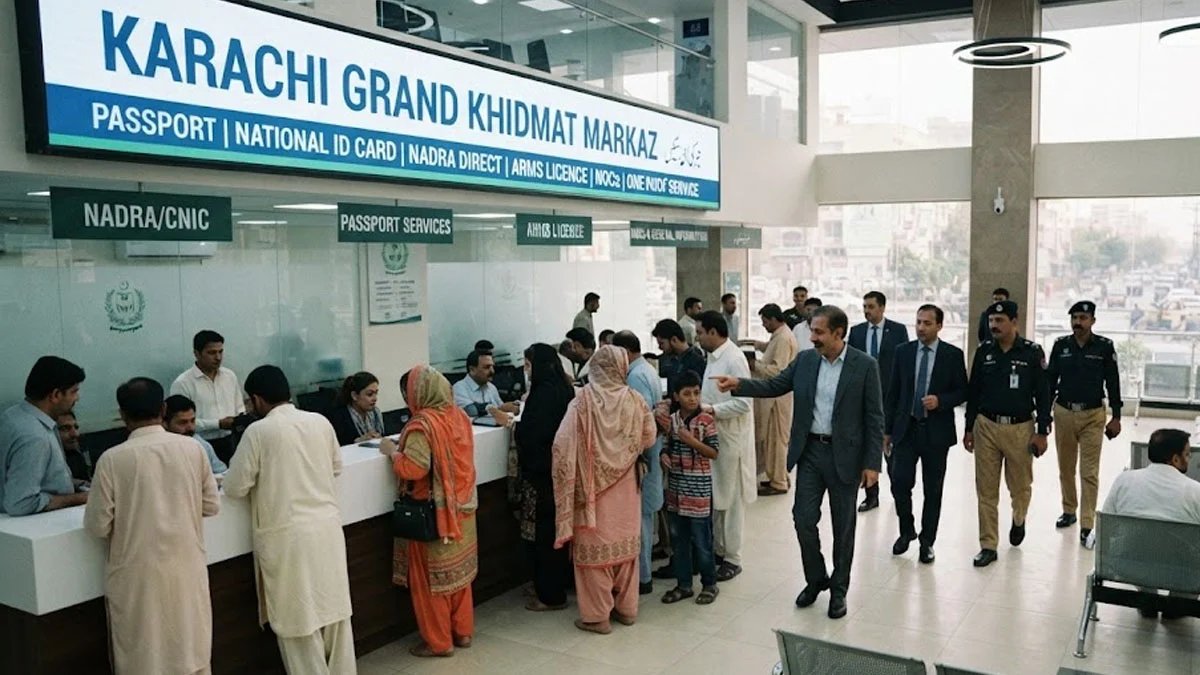
KARACHI: A Grand Khidmat Markaz will be established in Karachi where citizens will be able to access passport, national identity card, National Database and Registration Authority (NADRA) Direct, arms licence and NOCs under one roof, ARY News reported.
The decision to establish the country’s largest Grand Khidmat Markaz under the federal Interior Ministry was announced during Interior Minister Mohsin Naqvi’s visit to the ministry’s office on II Chundrigar Road.
Mohsin Naqvi said special counters of all subordinate departments of the Interior Ministry would be established at the modern Grand Khidmat Markaz.
He said Karachi citizens would be able to access important services, including passports, national identity cards, NADRA Direct, arms licences and NOCs, under one roof.
The interior minister sought a detailed master plan for the Grand Khidmat Markaz within the next 10 days.
He directed that the master plan should be prepared by keeping all requirements of citizens and modern needs in view.
Mohsin Naqvi also ordered the immediate completion of all administrative and technical measures for the early establishment of the modern service centre.
Meanwhile, the National Database and Registration Authority (NADRA) has introduced a simple procedure to log in to your Pak-ID account if you forget your password.
NADRA has outlined an easy process for citizens who forget their Pak-ID password or are unable to log in to the NADRA mobile application.
According to NADRA, your Pak-ID account can be easily restored by completing a few simple steps:
Enter ID Card Number:
First, enter your ID card number on the Pak-ID app login screen, and then click the “Forgot Password” option.
Enter Email Address:
The app will prompt you to enter your registered email address. If you have forgotten the email address linked to the app, you can simply enter your current, active email address and click “Go Ahead.”
Receive OTP:
You will receive a One-Time Password (OTP) on your provided email address. Enter this verification code into the app.
Biometric Verification:
Complete the biometric verification process as instructed by NADRA. Once verified, you can set a new password and log back into the Pak-ID app.
NADRA advises citizens to use an active email address and safely store their login information to ensure uninterrupted access to the Pak-ID app.